36 WORLDS TO EXPLOREA tiny escape
TAKE THEA tiny escape
from the everyday.
From leafy gardens to moonlit woodland, water gardens and snowy peaks.
SCENIC ROUTE ↗
 Pocket WorldsFLIP & RESCUE
Sometimes, all you need is a new perspective.
Turn a tiny world, find your friends, and bring them home.

No racing against the clock. Just you, a curious little hero, and a puzzle waiting to click. Replay your favourite worlds and discover a better way home.
From leafy gardens to moonlit woodland, water gardens and snowy peaks.
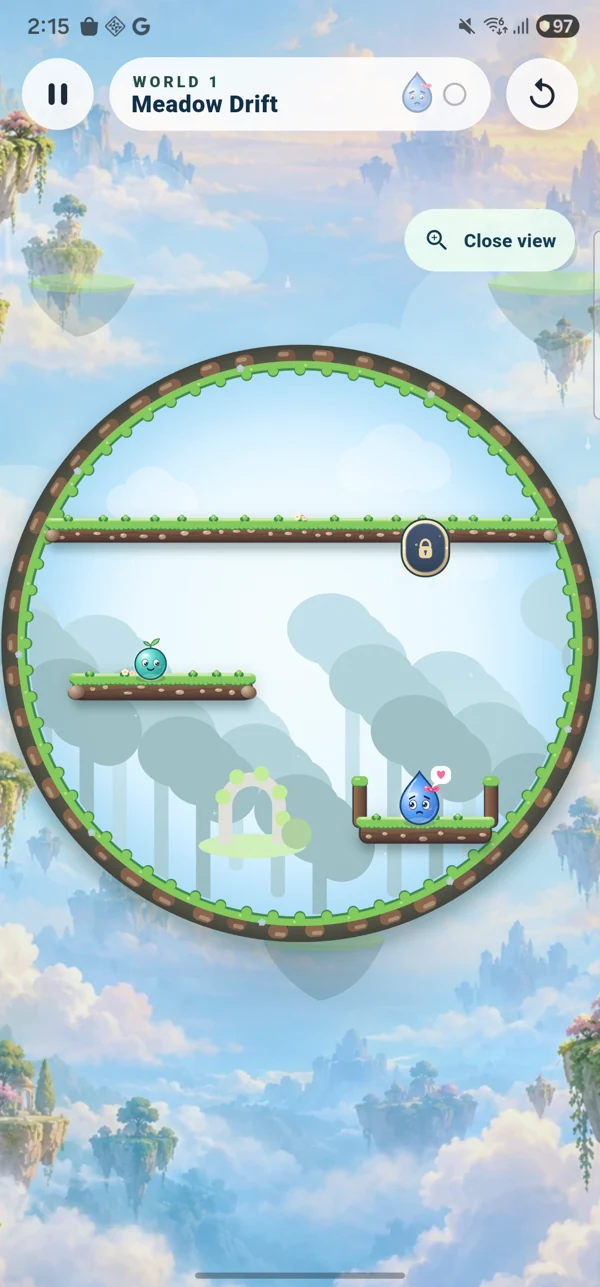
Turn ceilings into floors. Roll, float and bounce into a whole new route.
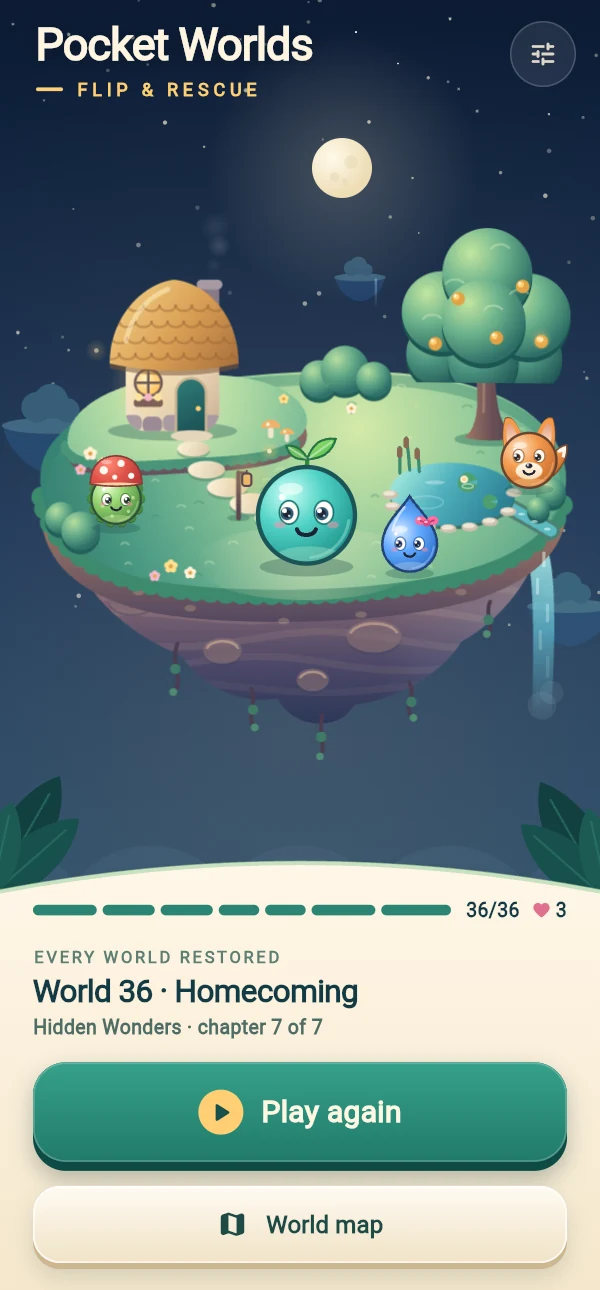
Find Bloo, Fenn and Mossy. Reach the door together and watch your home island fill with life.
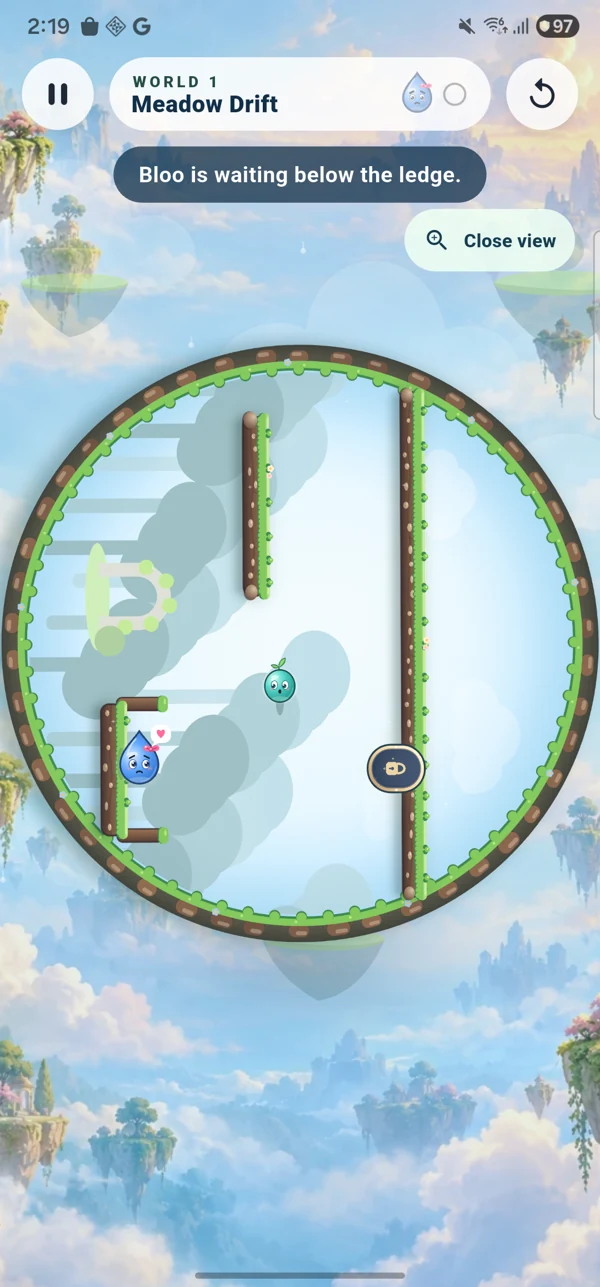
Drag your finger around the circle. The world turns, but gravity keeps pulling down.
Drag to rotate. Prefer buttons? Switch them on in the game's settings.
Ride a lift, open a gate, bounce across a gap or let rising water give you a hand.
Rescue every friend, then reach the door. A fresh try is always one tap away.
Control illustration • Explore the real puzzles in the game
Actual screenshots from the Android game. A cosy home, a world to turn, and another little discovery around the corner.
 YOUR NEXT LITTLE ADVENTURE
Pocket Worlds is available in its first community test on Google Play.
Join the tester group and opt in using the same Google account as Google Play.
Join our existing game-testing community with the Google account you use on your Android phone.
Join the group The group is named Neon Rift: Skybreak. It also gives access to the Pocket Worlds test.After approval, open the Pocket Worlds test page with the same Google account and choose “Become a tester”.
Open the test page Pocket Worlds needs its own opt-in, even if you already test our other games.Follow the Google Play download link on the test page, install the game, and start your first little rescue.
Tell us how it feels Android 7.0 or newer. Version 0.9.3: no ads or purchases, offline gameplay.Only to download the game and updates. Version 0.9.3 works offline, with no game account, ads or in-app purchases. Version 0.10.0 introduces limited adult advertising; see the privacy policy.
Make sure you've joined the tester group and are signed in with that same Google account on both the test page and Google Play.
This Android test build includes the 36-world campaign. Test releases can still have issues; your feedback helps improve the game before its wider release.
The game is designed for ages 6 and up, with no chat, game accounts or advertising in this version. Parents can help younger players install the test and learn the rotation controls.
Earlier sideloaded development copies may use a different signing key from the Google Play release. If Android refuses the update, contact support before uninstalling: removing the old app can erase its local progress.
Your completed worlds, best times and settings stay on your device. Learn more in our privacy policy.
A whole little world.
Just waiting for your turn.